How do I delete an Invisible folder after creating it?
And I don't mean Hidden, I mean invisible...
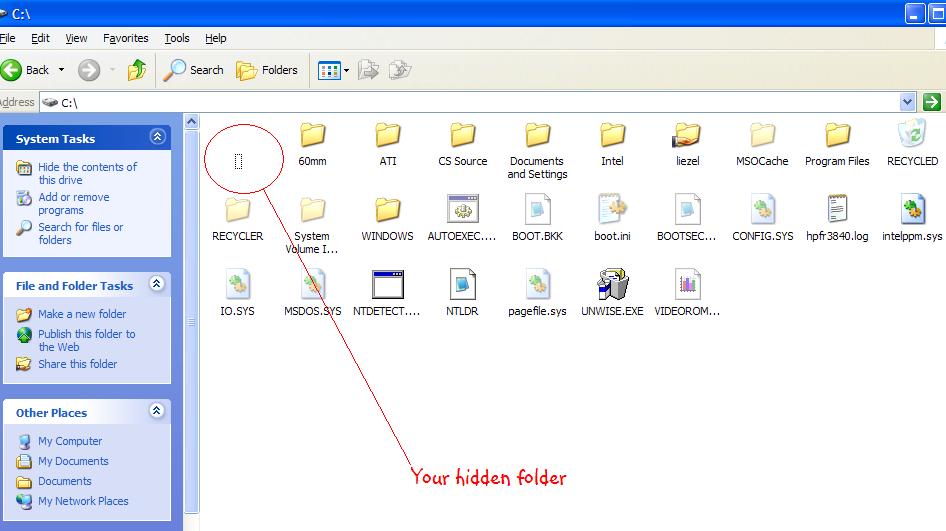
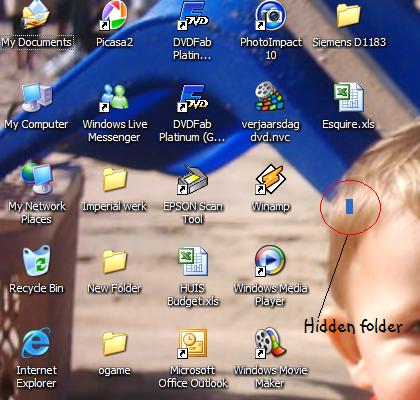
Create a folder, then when it askes you to enter a name for it type: Alt+0160.
Customize the Icon to the "Blank" one in the list.
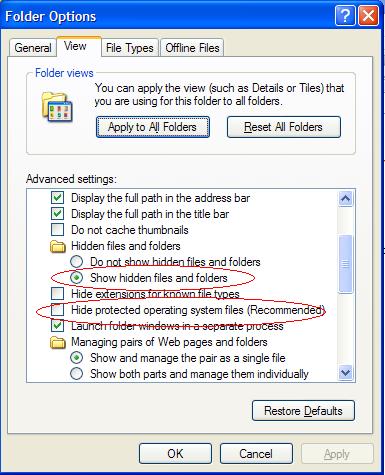
Alright, now you've created your invisble folder, which is handy in some purposes, but HOW do I delete it?
It doesn't want to be deleted. Not even in prompt mode.
At first, I couldn't even create a folder with a name using the ALT + 0160 keystroke sequence. WinXP Explorer ignores it. I then tried in the command prompt, which complained "The syntax of the command is incorrect."
I then did the keystroke sequence in Notepad (and a notepad equivalent called Texturizer), which allowed me to create the necessary character. I then copied that character and pasted it as the name of the 'invisible' folder. I also changed to the folder image to a blank icon. These steps left me with the so-called 'invisible' folder.
Which I had no problem selecting and deleting in Windows Explorer. Tried it several times. Dunno why you can't delete the folder, Mayhem and Biofreak...
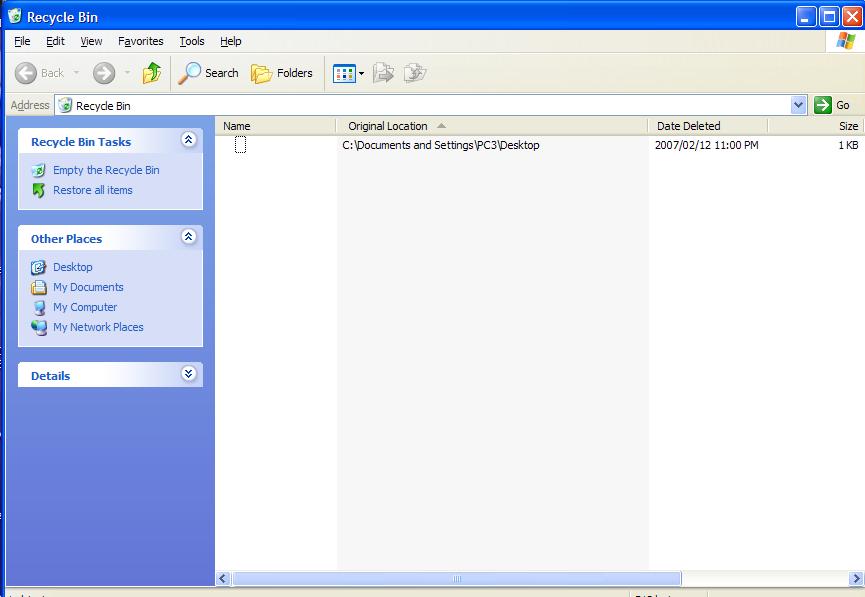
Remember to make sure that you don't have any program using the folder when you try to delete it (like viewing the contents of the folder with Windows Explorer, or opening a file within the folder with another program). You can also try dragging the folder to your Recycle Bin, or dragging (moving) it to another temporary folder and then deleting that temporary folder.
Note that if you really want hidden, undetectable folders, I highly recommend a program called Encrypted Magic Folders. This program encrypts the folder contents (so that even if you log in with a different user account or put the harddrive into another machine you cannot access them) and hides them until you provide a password of your choosing.



![Christo [PCD]](/thumb.php?src=%7Be_AVATAR%7Dupload%2Fap_1_newavav4.jpg&aw=100&ah=100)

![Morgue[FLB]](/thumb.php?src=%7Be_AVATAR%7Dupload%2Fap_59_morgueflb.png&aw=100&ah=100)